Smartphone Microscopy: Citizen Science Guide
By Elena Petrov • 4th Apr
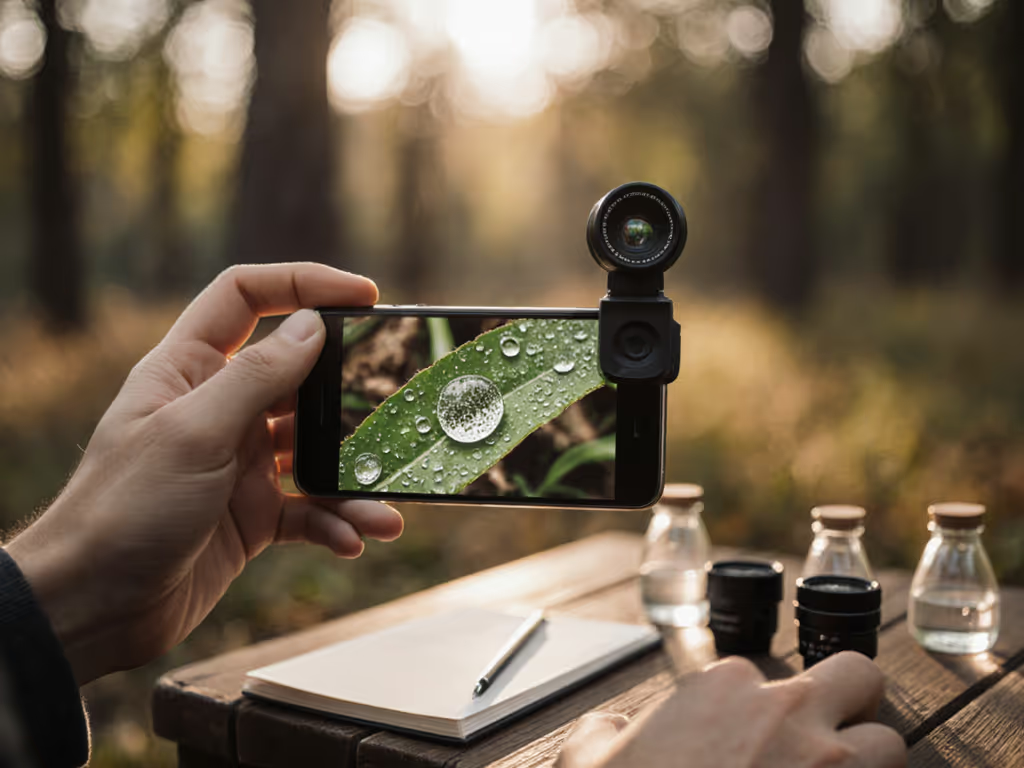
Smartphone microscopy citizen science transforms personal devices into research instruments for mobile citizen science projects, turning your pocket computer into a gateway for environmental monitoring, species documentation, and community-based data collection. Unlike desktop microscopes that require dedicated lab space and significant capital investment, smartphone-based imaging democratizes observational science, placing discovery within reach of anyone with curiosity and a smartphone camera.
This guide answers the core questions that community scientists face when building their first setup: What's genuinely possible with a phone? Which modalities matter most? How do I document findings reliably? And critically, when does a $30 solution outperform a $300 alternative?
What Exactly Can You Do with Smartphone Microscopy for Citizen Science?
Smartphone microscopy works because modern phone cameras already pack impressive optical quality, often 12+ megapixels with autofocus, and operate at light wavelengths (visible spectrum) that require minimal optical complexity to magnify. The barrier isn't technology; it's alignment and illumination. For stable framing and quick setup, compare best phone microscope adapters.
Realistic capabilities include:
- Specimen documentation: Observing pond water microorganisms, soil microbes, plant tissue, pollen, and mineral crystals at 50-325× magnification
- Pattern recognition: Identifying morphological features useful for species classification in environmental surveys
- Longitudinal observation: Tracking changes over time (growth, degradation, or seasonal variation) and uploading datasets to community platforms
- Accessible field sampling: Collecting optical data in remote or resource-limited locations without hauling equipment
What it typically cannot do: Replace clinical diagnostics, detect non-visible wavelengths (UV/IR) without specialized optics, or match the depth-of-field precision of lab microscopes. That limitation is not a flaw, it's clarity on modality. When you understand what your setup actually resolves, you design experiments that work within those constraints rather than chasing unattainable specs.
How Do I Build a Functional Smartphone Microscope?
Two architecturally sound approaches dominate DIY documentation: the laser-pointer lens method and the elastomer contact lens approach.
The Laser-Pointer Lens Method
This is the most replicated design because it demands ~$10-30 in materials and yields predictable optical performance.
Core components:
- Smartphone (your existing device)
- Focus lens extracted from a cheap laser pointer
- Plexiglass pieces (⅛" thick) for camera stage and specimen stage
- Plywood base or additional plexiglass for structural support
- Carriage bolts, washers, and nuts for z-axis focus adjustment
Why this works: The laser pointer's curved lens acts as a magnifying element placed between the specimen and your phone's camera. By extracting it and positioning it 1-2 mm from the camera sensor (rather than gluing it directly to the phone), you preserve focus flexibility and avoid permanent modification to your device.
Assembly requires basic hand tools: drill, ruler, sandpaper. The critical step: drilling a small pilot hole (1/16") through plexiglass before enlarging it with a medium bit (11/64"), which helps prevent cracking. Once the lens is seated flush against the plexiglass camera stage, stack your specimen stage on adjustable bolts above it. The specimen stage sits 1-2 inches above the lens; by rotating carriage bolts, you move the specimen closer or farther for focus adjustment.
Build time: 20-30 minutes with tools on hand. Optical result: Clear imagery at ~100-150× magnification, sufficient for documenting algae, protozoa, and plant cells. Avoid empty magnification by reviewing our magnification guide.
The Elastomer Contact Lens Approach
Researchers at the University of Houston developed an inkjet-printed elastomer lens that clamps over a phone camera without permanent attachment, enabling fluorescence microscopy and pathogen detection. This method is more advanced (it requires access to printed components or suppliers), but offers significantly expanded modality (fluorescence, higher magnification, multi-color imaging).
For most citizen science projects just beginning, the laser-pointer design suffices. Modality first, then minutiae: master basic brightfield observation before chasing fluorescence add-ons.
What Illumination Strategy Should I Use?
Illumination is where capability truly expands or collapses. Your phone's built-in LED flashlight is a starting point but introduces harsh shadows and uneven lighting across the field of view.
Practical options:
- Transmitted light (below the specimen): Place a white LED or smartphone screen underneath a transparent glass slide, with your specimen between. This mimics standard lab transmitted-light microscopy and works exceptionally well for organisms in water or tissue sections. Cost: $0-15 (phone screen + basic LED).
- Incident light (from above): Angle your phone's light or an external LED from the side or above. Useful for opaque samples (minerals, insects, pollen) but produces shadows unless diffused.
- Diffusion panel: A piece of frosted plexiglass or wax paper between light source and specimen smooths intensity and eliminates hot spots. Cost: $2-5.
I learned this principle viscerally years ago when testing a borrowed monochrome microscope camera paired with an inexpensive $30 filter matched to my LED's transmission spectrum. That filter, thoughtfully selected for the illumination source, produced clearer contrast than an expensive optical cousin because I prioritized matching light to modality rather than stacking expensive components. Documentation of every setting, then publishing the raw files for replication, confirmed the lesson: capabilities matter more than cosmetics; chase modalities, not marketing.
How Do I Document Findings Reliably for Community Data?
Capturing images is only half the task. Reliable citizen science demands clear test protocols and consistent metadata.
Protocol essentials:
- Specimen preparation: Record sample origin (location, date, water source), preservation method, and slide preparation (wet mount, stained, etc.).
- Optical settings: Note magnification (estimate via reference slide with known grid if available), light source type, LED color/intensity, and whether filters were applied.
- Image metadata: Timestamp, camera settings (if accessible), and environmental conditions (temperature, lighting, time of day).
- Multiple frames: Capture 3-5 images per specimen at slightly different focal depths; movement often reveals morphology that a single shot obscures.
Data sharing platforms include iNaturalist (for organism identification and geographic mapping), Zooniverse (for large collaborative annotation projects), and community science portals run by universities or environmental agencies. These platforms accept image submissions with GPS coordinates and observation notes, aggregating millions of data points for ecological monitoring and species tracking.
When Should I Upgrade Beyond the Basic Build?
Expand your setup when your current modality exhausts its utility, not before. Pragmatic caveats:
- Magnification ceiling reached? Add a second lens or experiment with different laser pointer optics before investing in new hardware.
- Lighting inadequate for your target organisms? A $20 LED ring and diffuser often solves contrast issues better than replacing the entire stand. For choosing between illumination styles, see our ring lights vs fiber optic comparison.
- Quantitative analysis needed? Software tools like ImageJ (free) can measure cell dimensions, count particles, and extract numerical data from your images, enhancing scientific rigor without new equipment.
Resist cosmetic upgrades. A polished aluminum stand contributes nothing to image quality. A modular adapter that swaps lenses, filters, or light sources to unlock new imaging modes? That's capability expansion worth investigating.
What's Your First Action?
Begin with observation, not construction. Borrow or build a basic phone-and-laser-lens setup to explore what interests you (pond scum, pollen, soil, plant tissue). Spend two weeks capturing dozens of images under varied lighting and focal positions. Let your specimen guide what modality (illumination type, magnification, staining, etc.) reveals detail.
Document your protocol. Publish your findings (even negative results) to community platforms. That practice of rigorous documentation and transparent sharing accelerates your learning and contributes real data to projects tracking environmental change, species distribution, or microbial diversity in your region.
Smartphone microscopy succeeds not because phones are miraculous instruments, but because clarity about what your setup can observe, paired with consistent methodology, unlocks genuine discovery within budgets and timeframes accessible to everyday participants. The minuscule world awaits documentation by curious observers like you.
Related Articles